





How to Design Modular Workstation Office Systems
- How to Design Modular Workstation Office Systems
- Understanding modular workstation office systems
- Set clear goals for your workstation office layout
- Ergonomics and human-centered design for workstation office
- Choose flexible components and materials for modular workstation office
- Infrastructure, power and technology integration in workstation office
- Acoustics and privacy strategies for modular workstation office
- Scaling and zoning: flexible configurations for growing teams in workstation office
- Cost, sustainability and maintenance considerations for workstation office
- Implementation checklist and prototyping for your workstation office
- Practical layout examples for different workstation office needs
- MEI YI Furniture: Modular solutions for your workstation office
- FAQ — Frequently Asked Questions about modular workstation office systems
- Contact us / View products
- References
How to Design Modular Workstation Office Systems
Understanding modular workstation office systems
A modular workstation office system is a collection of repeatable, configurable components—desks, screens, storage, power modules and frames—that allow you to assemble, rearrange and scale workspaces quickly. Unlike fixed cabinetry, modular systems prioritize adaptability: they support evolving team sizes, hybrid work patterns and changing technology. Designing a successful modular workstation office requires balancing human factors, infrastructure, aesthetics and total cost of ownership.
Set clear goals for your workstation office layout
Begin with the business and user objectives for your workstation office. Ask: What kinds of work are people doing (focused, collaborative, confidential)? What are target densities (people per square meter)? What brand and culture should the space convey? Common objectives include improving productivity, maximizing space utilization, supporting flexible work and reducing refurbishment time.
Translate objectives into measurable design requirements: percent of dedicated desks vs. hot desks, number of small-team huddle spaces, acoustic targets (dB reduction), required power/data points per station, and budget per workstation. Early clarity prevents costly rework once furniture is ordered.
Ergonomics and human-centered design for workstation office
Ergonomics must drive decisions for workstation office planning. Design each workstation so that users can maintain neutral postures: adjustable desk heights (sitting-to-standing), monitor arms to position screens at eye level, supportive chairs with lumbar adjustment, and keyboard trays or correct desk depths.
Practical ergonomic guidelines to adopt:
- Provide height-adjustable work surfaces for at least 30–50% of desks where possible.
- Ensure a minimum desk depth of 700–800 mm for dual-screen setups.
- Allow 90–120 degrees angle around the chair for easy movement and foot space.
Ergonomic investments reduce absenteeism and improve concentration—important ROI for any workstation office program.
Choose flexible components and materials for modular workstation office
Component selection determines how modular and durable your workstation office will be. Typical modular elements include frames (steel or aluminum), desktop panels (laminate, veneer, or E1-grade MDF), privacy screens (fabric, acrylic, or upholstered), integrated storage (mobile pedestals, lockers), and connector pieces (brackets, beam systems).
Material recommendations:
- Structural frames: powder-coated steel or extruded aluminum for strength and repeatability.
- Worksurfaces: E1-grade low-emission boards for indoor air quality (IAQ) and durability.
- Surface finishes: hard-wearing laminates for high-use areas; veneer or painted finishes for executive zones.
Cable management, tool-free assembly connectors and modular power/data modules are key to minimizing installation time and long-term reconfiguration costs.
Infrastructure, power and technology integration in workstation office
Technical infrastructure is often the limiting factor in modularity. Plan power and data distribution early, ideally in a grid pattern aligned to workstation modules. Consider underfloor or overhead raceways that allow redistribution without demolition.
Best practices:
- Deploy power/data modules integrated into beams or cable channels at each workstation.
- Include USB-C and PD charging options for modern devices and hot-deskers.
- Provision extra capacity for future AV or IoT devices (sensors, occupancy counters, conferencing gear).
For hybrid workplaces, plan for easy connection points for shared meeting booths and touchdown stations.
Acoustics and privacy strategies for modular workstation office
Open-plan modular workstation office environments bring acoustic challenges. Address noise and privacy with layered solutions: absorbent materials, visual barriers, and dedicated quiet zones.
Effective acoustic tactics:
- Use high NRC (Noise Reduction Coefficient) panels and ceiling baffles in collaboration zones.
- Specify taller or upholstered screens for focus areas; lower screens to encourage collaboration where appropriate.
- Introduce enclosed phone booths or small meeting pods for private calls.
Acoustic planning should be informed by intended space use—trading visibility vs. sound insulation depending on the task mix in your workstation office.
Scaling and zoning: flexible configurations for growing teams in workstation office
Design modular workstation office systems as a set of zones rather than one homogeneous area. Typical zones include: focused work, collaboration, social/break areas, touchdown/hot-desk areas, and meeting rooms. Use modular components to define boundaries and allow quick reconfiguration when teams grow or reorganize.
Examples of zoning tactics:
- Cluster benching modules for 4–8 person teams with shared storage to encourage collaboration.
- Use mobile screens or shelving to create temporary quiet zones.
- Create a toolkit of modular meeting pods and soft seating that can be redistributed as needs change.
Cost, sustainability and maintenance considerations for workstation office
Compare total cost of ownership (purchase + installation + maintenance + refurbishment) for modular vs. fixed systems when planning your workstation office. Modular typically has higher initial customization cost but lowers long-term reconfiguration and refurbishment expenses. Sustainability choices—FSC-certified wood, E1 low-formaldehyde boards, and recyclable metals—improve IAQ and corporate responsibility metrics.
| Metric | Modular Workstation Office | Fixed / Custom Built |
|---|---|---|
| Initial Lead Time | Short to Medium (standard modules) | Long (site-measured, built-in) |
| Reconfiguration Cost | Low (re-use of modules) | High (demolition/ rebuild) |
| Sustainability Options | High (certified materials available) | Variable |
| Per-Seat Cost Over 7 Years | Typically lower when factoring reconfiguration | Higher if organizational change is frequent |
industry trend reports and manufacturer lifecycle analyses. Choosing certified, low-emission materials (E1, FSC) reduces environmental impact and supports employee health.
Implementation checklist and prototyping for your workstation office
Follow a staged rollout to limit risk:
- Program and requirements: capture user needs and headcount projections.
- Concept layouts: sketch zoning and workstation clusters aligned to power/data grid.
- Prototype: build a 4–6 station mock-up in the real office to test ergonomics, acoustics, and workflows.
- Refine: collect user feedback and adjust module heights, screen types or storage allocations.
- Procure and pilot: install an initial wing or floor and measure satisfaction and usage patterns.
- Scale: roll out the improved solution across the workplace with a documented reconfiguration plan.
Prototyping reduces surprises, avoids large change orders, and ensures the workstation office meets actual user needs.
Practical layout examples for different workstation office needs
Here are three compact examples to guide spatial planning. These are typical patterns and should be adapted to your organization’s headcount and workflow.
- Focused Work: Single benching rows (2–4 desks back-to-back) with tall acoustic screens and individual storage. Best for concentrated, individual tasks.
- Hybrid Teams: Clustered islands of 6–8 desks with shared tables for team work and nearby quiet booths for calls.
- Flexible Hot-Desking: Row-based touchdown modules with integrated lockers and abundant power/data points; a shared reservation system manages capacity.
Space-per-person guidance varies with role and country: many modern offices plan 8–12 m2 per employee as a benchmark, but high-density benching can reduce that where appropriate. (See sources.)
MEI YI Furniture: Modular solutions for your workstation office
MEI YI Furniture: Custom Furniture Manufacturer — with 16+ years of experience, MEI YI designs and manufactures High Quality furniture for offices, hotels, schools, healthcare, and public spaces worldwide. MEI YI provides end-to-end solutions covering design, production, customization, and after-sales support—an ideal partner for modular workstation office projects.
How MEI YI supports modular workstation office programs:
- Customizable modular systems: configurable benching frames, privacy screens, integrated cable management and power modules designed for quick reconfiguration.
- Factory-direct value and quality control: 25,000 m² factory, 100+ professionals, and ISO/CE/FSC-certified manufacturing ensure consistent quality from material inspection to finished product.
- Capacity and speed: 20,000+ units/year capacity and 10+ advanced production lines—suitable for pilot runs through full-floor rollouts.
- Sustainability and health: E1-grade low-emission materials and FSC options help meet IAQ and corporate sustainability goals.
- Design support and warranty: Free CAD/3D design, OEM/ODM options, and a 5-year warranty simplify procurement and reduce risk.
Main products relevant to workstation office projects: Office furniture (benching systems, desks, storage), hotel furniture (for hospitality-adjacent workspaces), school furniture (durable, modular learning clusters). Core competitive advantages include full quality control with rigorous inspections, factory-direct pricing, multilingual support for global projects, and comprehensive after-sales service.
FAQ — Frequently Asked Questions about modular workstation office systems
Q: What is the typical lead time for modular workstation office furniture?
A: Standard modular systems can ship in 4–8 weeks depending on finish and power/data options; custom finishes and complex integrations can extend lead time to 10–14 weeks. MEI YI’s factory capacity often shortens turnaround for large orders.
Q: How do I decide between benching and individual desks for my workstation office?
A: Choose benching for teams requiring frequent collaboration and higher density; select individual desks with larger screens and storage for focus-heavy roles. Prototype both to measure user preference.
Q: Can modular systems integrate sit-stand desks and technology?
A: Yes. Modern modular frames accommodate electric sit-stand mechanisms, integrated power modules, and monitor arms to meet ergonomic and tech needs.
Q: How do I ensure acoustic privacy in an open modular workstation office?
A: Combine absorbent ceiling solutions, upholstered screens, and dedicated enclosed booths. Higher screens or partial enclosures over workstations improve privacy without entirely blocking sightlines.
Q: Are modular workstation systems sustainable?
A: Many manufacturers, including MEI YI, offer E1-grade, FSC-certified materials and recyclable metal frames. Modular design promotes reuse and reduces waste during reconfigurations.
Contact us / View products
If you’re planning a modular workstation office rollout, MEI YI Furniture can help from concept through delivery. Contact our sales and design team to request free CAD/3D concepts, get a factory quote, or arrange a pilot mock-up. Explore modular office furniture solutions and request samples to evaluate finishes and acoustics.
References
- BIFMA (Business and Institutional Furniture Manufacturers Association) — standards and design guidance for office furniture and ergonomics.
- Occupational Safety and Health Administration (OSHA) — recommendations for computer workstation ergonomics.
- Gensler Workplace Surveys — insights on space-per-employee benchmarks and workplace trends.
- Steelcase and Herman Miller white papers — research on open-plan workplaces, acoustics and activity-based working.
- ISO standards and FSC certification descriptions for material and process quality.
For tailored modular workstation office planning, reach out to MEI YI Furniture to get free CAD/3D design support and a site-specific proposal.
Custom furniture framework Manufacturers and Suppliers in us
Top Manufacturers of CEO Desks for Corporate Offices
Custom vs Modular Hotel Furniture: Procurement Decision Guide
Wholesale plastic chair manufacturer and supplier
Service
Why choose us?
A. Business Type: Furniture Manufacture,Production and export trade experience: Over 15 years Factory area:10000 + square meters Member:>100 staffs Design Team: Minimum 20 pax to organize
B.Customization: Welcome to OEM and ODM or Project.
C.Delivery:15days for 20GP, 25days for 40HQ.
D. Testing center is available in our factory, and regularly through national authoritative organization authoritative authentication, ensure that each product is qualified. E.Competitive price from factory directly.
Can you handle small orders ?
Of course, in order to support clients' business, We also take small orders.
ls there cheap shipping cost to import to our country?
For small order,express will be best. And for bulk order,sea ship way is best but take much time; For urgent orders,we suggest via air to airport plus our ship partner send to your door. When we calculate the freight for you, we will choose the cheapest,safest express company. lt is the freight company that asks us to pay, so we can not make it cheaper. lf you have your own agent in China, we can send the package to your agent.
What's your products range?
1.Whether you need office furniture, home furniture, hotel furniture, school furniture.or special custom furniture products, we can meet your requirements.
2.-Products including office table, office chair, office filing cabinet, office workstation,Office sofa, office reception ,office conference room and so on, Simple Leisure Sets etc.
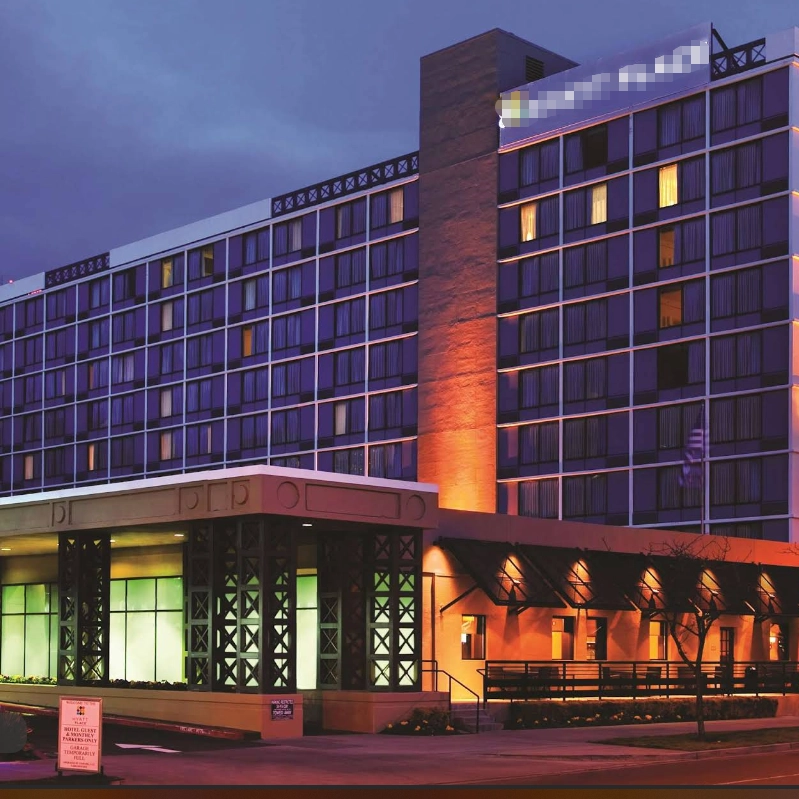
MEIYI Hotel Full-House Custom Furniture Solutions
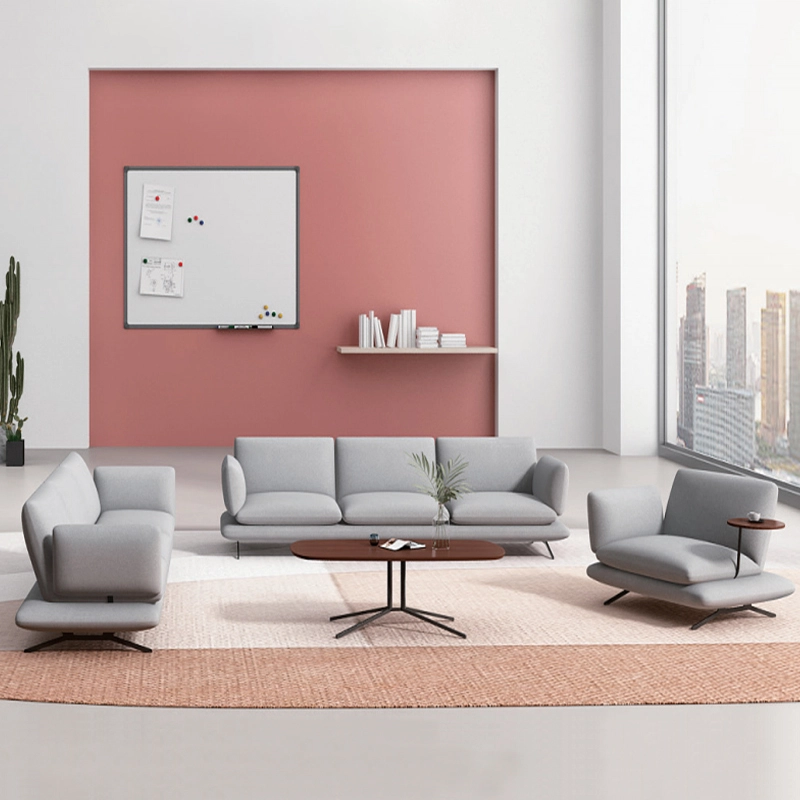
Modern Office Waiting Sofa Set Comfortable Lounge Seating
Customizable sofas, featuring a teddy fabric cover that's durable and stain-resistant. Customizable sizes are also available. This sofa features a sturdy frame and high-quality materials, making it suitable for everyday use. Its versatile design makes it ideal for living rooms, apartments, lounge areas, and even cozy reading nooks. It's more than just a sofa; it's a statement piece for stylish and intelligent living.

MEI YI Furniture × Hotel: Custom Furniture Empowers the Quality Upgrade of a National Hotel Brand
MEI YI Furniture partners with Hotel to deliver custom hotel furniture that combines high-efficiency and durability. This collaboration elevates the quality of a national hotel brand, showcasing MEI YI’s expertise in crafting tailored, long-lasting solutions for High Quality hospitality spaces.
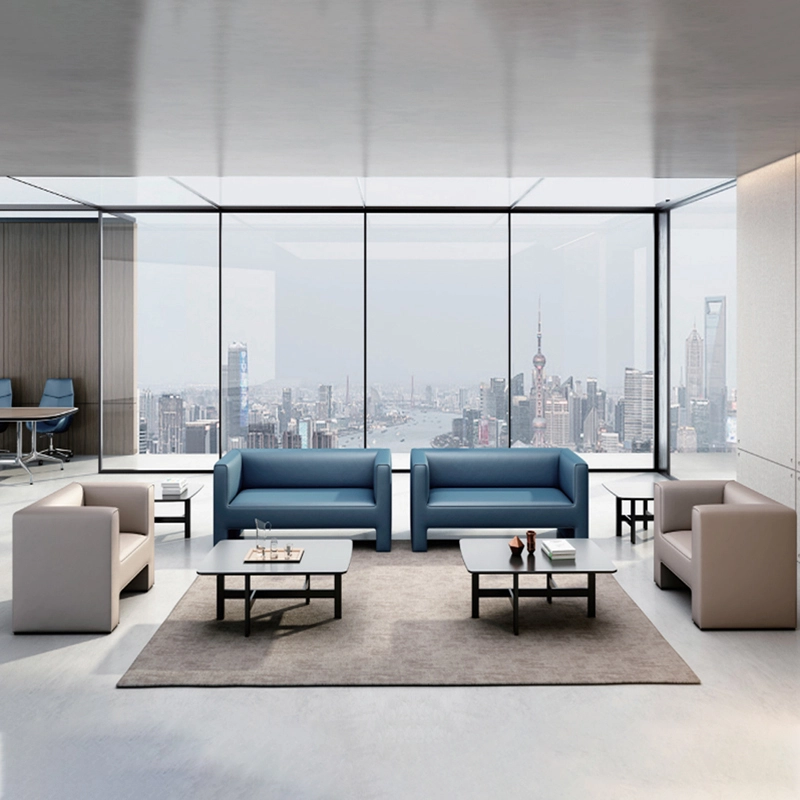
High Quality Wholesale Custom Furniture Waiting Sofa Modern Leisure Sofa
Customizable sofas, featuring a artificial leather cover that's durable and stain-resistant. Customizable sizes are also available. This sofa features a sturdy frame and high-quality materials, making it suitable for everyday use. Its versatile design makes it ideal for living rooms, apartments, lounge areas, and even cozy reading nooks. It's more than just a sofa; it's a statement piece for stylish and intelligent living.
Want to get more of our articles?
Contact one of our sales representatives or fill out this form.
MEI YI Furniture provides a one-stop service for the design, manufacturing, and customization of office, hotel, and school furniture.
Contact: Asya
Email: asya@myofficefurniture.com.cn
WhatsApp: +86 134 2216 1319
Address: No. 25, Nan Street, Jinpan, Zhongluotan Town, Baiyun District, Guangzhou, China.
Whatsapp: +8613422161319
Fackbook
Instagram
YouTube