





Space Planning: Workstation Density and Workflow
- Designing Efficient Work Environments
- Understanding office workstations: why density and workflow matter
- Key metrics for planning office workstations
- Essential metrics to measure workstation density
- Workstation density benchmarks and comparison
- Typical density ranges for office workstations
- Translating density into workflow improvements for office workstations
- Aligning density with task, team, and technology
- Design rules of thumb when planning office workstations
- Practical guidelines to optimize workflow and density
- Ergonomics, acoustics, and environmental controls for office workstations
- Ensuring employee wellbeing as density increases
- Furniture selection and its impact on workstation workflow
- Choosing office workstations that support operations and reconfiguration
- Calculating capacity and cost per person for office workstations
- Simple formulas and an example calculation
- Technology & data-driven decisions for office workstations
- Using utilization data to optimize density and workflow
- Applying regulations and standards to workstation planning
- Compliance that affects layout of office workstations
- MEI YI Furniture: partner for efficient workstation solutions
- How MEI YI Furniture supports high-performing office workstations
- Implementation roadmap for changing workstation density
- Phased approach to protect workflow and user acceptance
- Cost vs. benefit considerations for office workstations
- Balancing upfront investment with long-term gains
- FAQ — Frequently asked questions about office workstations
- 1. What is the ideal area per person for office workstations?
- 2. How do I calculate how many workstations fit in a floor?
- 3. How can furniture reduce disruption during reconfiguration?
- 4. How do we maintain ergonomics in a high-density layout?
- 5. When should we choose hot-desking vs assigned desks for office workstations?
- 6. What are common mistakes when changing workstation density?
- 7. How can MEI YI help with a workstation density project?
- Contact and next steps
- Get expert help planning your office workstations
- References
Designing Efficient Work Environments
Understanding office workstations: why density and workflow matter
Space planning for office workstations is not just about fitting desks into a floorplate. It balances operational efficiency, employee wellbeing, and real estate costs. The right workstation density and workflow design affect productivity, collaboration, energy use, and leasing decisions. Organizations that treat density as a strategic variable — rather than a budgetary constraint — produce measurable gains in performance and cost control.
Key metrics for planning office workstations
Essential metrics to measure workstation density
Before changing layouts, you must quantify current and target states. Use these core metrics for office workstations planning:
- Net usable area (NUA): area assigned to occupants and immediate support spaces (sq ft or sq m)
- Area per person: NUA divided by number of assigned people (sq ft/person or sq m/person)
- Workstation footprint: desk + circulation around it (sq ft)
- Occupancy factor: peak vs average utilization (percentage)
- Density ratio: number of desks per 1,000 sq ft or per 100 sq m
These metrics convert strategic goals (e.g., reduce real estate by 10%, support hybrid work) into actionable layout criteria.
Workstation density benchmarks and comparison
Typical density ranges for office workstations
Benchmarks vary by sector and work style. The table below summarizes representative ranges used by designers and workplace strategists. Use ranges as starting points and adjust for program, culture, and ergonomics.
| Workstyle / Layout | Typical area per person (sq ft) | Typical area per person (sq m) | Best for |
|---|---|---|---|
| Private office | 150–225 | 14–21 | Confidential work, senior staff |
| Traditional cubicle / partitioned | 100–150 | 9–14 | Individual focus with some privacy |
| Open-plan benching (assigned) | 50–100 | 4.6–9 | Knowledge workers, collaborative teams |
| Hot-desking / hoteling | 40–85 | 3.7–7.9 | Hybrid workforce, shared desks |
| Activity-Based Working (ABW) | 55–140 | 5–13 | Flexible tasks, mix of focus & collaboration |
Sources: industry workplace research and manufacturer case studies inform these ranges (see references).
Translating density into workflow improvements for office workstations
Aligning density with task, team, and technology
Density must serve workflow. Ask: what tasks do employees perform, how often do they collaborate, and which tools do they need? Typical alignment patterns:
- High-focus roles (e.g., coders, analysts): prioritize quieter zones, larger desk footprints, higher-area-per-person.
- Highly collaborative teams (e.g., sales, design): cluster team workstations near collaboration spaces; use benching to facilitate quick exchanges.
- Hybrid workers: provide touchdown spaces, reservable rooms, and storage for occasional on-site workers to reduce assigned-desk ratio.
Match workstation type to job role to optimize satisfaction and reduce churn. Deploy simple surveys or utilization sensors to validate assumptions before large investments.
Design rules of thumb when planning office workstations
Practical guidelines to optimize workflow and density
Use these tested rules during planning:
- Plan circulation at 6–8 feet (1.8–2.4 m) for primary aisles; 3–4 feet (0.9–1.2 m) for secondary paths.
- Maintain 5–10% of floor area for touchdown / collaboration zones in hybrid layouts.
- Include dedicated quiet rooms for heads-down work if benching density is high—every 30–50 people.
- Design for adaptability: modular furniture and plug-and-play power reduce reconfiguration time and cost.
- Consider storage ratio: employees who hot-desk need personal storage (e.g., locker per 2–3 employees) to avoid cluttered workstations.
Ergonomics, acoustics, and environmental controls for office workstations
Ensuring employee wellbeing as density increases
Higher density should never mean compromised ergonomics or poor environmental comfort. Key interventions:
- Ergonomics: provide adjustable chairs, sit-stand desks, monitor arms, and keyboard trays to fit diverse bodies and reduce injury risk—refer to OSHA and ergonomic standards.
- Acoustics: use absorptive ceilings, screens, and sound-masking in open-plan settings to reduce distraction. Allocate enclosed rooms for confidential tasks.
- HVAC & ventilation: maintain adequate fresh-air rates per occupant when increasing density; consult mechanical engineers to avoid hotspots.
- Lighting: use layered lighting—task, ambient, and daylight—to reduce visual fatigue at denser workstation configurations.
Furniture selection and its impact on workstation workflow
Choosing office workstations that support operations and reconfiguration
Furniture defines the functional envelope of each workstation. Consider:
- Modularity: benching systems with common cable troughs and interchangeable screens speed re-layouts.
- Integrated power/data: reduces cable clutter and supports hot-desking and BYOD trends.
- Durability & maintenance: select materials and finishes that withstand high churn (especially in leased spaces).
- Storage: under-desk pedestals, mobile lockers, and shared filing zones balance personal storage vs floor area efficiency.
A well-specified workstation reduces project lifecycle costs and boosts user acceptance.
Calculating capacity and cost per person for office workstations
Simple formulas and an example calculation
Core formula examples:
- Area per person = Net usable area (NUA) / Number of assigned people
- Workstation capacity = NUA / Area per person target
- Cost per person = (Total workplace fit-out + furniture + services) / Workstation capacity
Example: 10,000 sq ft NUA with a target of 80 sq ft per person (hot-desking): 10,000 / 80 = 125 desks. If project fit-out plus furniture = $375,000, cost per person = $375,000 / 125 = $3,000.
Technology & data-driven decisions for office workstations
Using utilization data to optimize density and workflow
Deploy sensors, booking logs, and occupancy analytics to validate utilization and adjust density. Typical KPIs:
- Average daily utilization (%)
- Peak utilization and capacity shortfall
- Desk booking no-show rate (hoteling)
- Time-of-day distribution (to optimize HVAC and cleaning schedules)
Data helps you move from opinion-driven to evidence-based planning and supports continuous improvement.
Applying regulations and standards to workstation planning
Compliance that affects layout of office workstations
Check local building codes, fire egress requirements, ADA accessibility, and occupational health guidance (e.g., OSHA). Standards can affect minimum aisle widths, reach zones, and headroom—failing to comply risks project delays and retrofit costs.
MEI YI Furniture: partner for efficient workstation solutions
How MEI YI Furniture supports high-performing office workstations
MEI YI Furniture: Custom Furniture Manufacturer brings 16+ years of experience designing and manufacturing furniture for offices, hotels, schools, healthcare, and public spaces worldwide. For organizations rethinking workstation density and workflow, MEI YI offers:
- End-to-end solutions: design, production, customization, installation, and after-sales support.
- Main products tailored to space planning: Office furniture, Hotel furniture, School furniture.
- Manufacturing capabilities: 25,000 m² factory, 100+ professionals, 20,000+ units/year capacity, ISO/CE/FSC-certified production, E1-grade eco-friendly materials, and 10+ advanced production lines.
- Core strengths: full quality control from raw materials to finished products; factory-direct value with OEM/ODM options, a 5-year warranty, and complimentary CAD/3D design services; multilingual project teams with global delivery experience.
MEI YI’s modular benching systems, integrated power solutions, and durable finishes make reconfiguration fast and cost-effective—critical when shifting between assigned and hybrid workstation models. Their experience across sectors (office, hotel, school) helps apply cross-industry best practices—such as acoustic solutions from hospitality or durable finishes from education—to office workstation programs.
Implementation roadmap for changing workstation density
Phased approach to protect workflow and user acceptance
Suggested rollout plan:
- Discovery: occupancy surveys, role mapping, and stakeholder interviews.
- Pilot: implement a representative pilot area with new workstation type and measure for 8–12 weeks.
- Adjust: refine workstation footprints, storage, and policies based on pilot data.
- Scale: phased roll-out by floor or team with training and change communications.
- Optimize: ongoing monitoring and quarterly reviews to tune density and services.
Cost vs. benefit considerations for office workstations
Balancing upfront investment with long-term gains
Higher-density layouts often require investment in flexible furniture, enhanced HVAC, and acoustic mitigation. Evaluate ROI using:
- Real estate savings (reduced leased area or delayed future growth).
- Productivity gains (reduced time lost in handoffs, better collaboration).
- Staff retention improvements (if design increases satisfaction).
- Operational efficiency (cleaning, utilities optimized by occupancy-driven schedules).
Quantify conservative estimates, then model upside scenarios. Use pilot data to de-risk projections.
FAQ — Frequently asked questions about office workstations
1. What is the ideal area per person for office workstations?
There is no single ideal. Typical ranges: 40–225 sq ft depending on workstyle (hot-desking to private offices). Choose based on task needs, hybrid policies, and local regulations—pilot and measure to validate.
2. How do I calculate how many workstations fit in a floor?
Divide the net usable area by your target area per person. Account for support spaces (meeting rooms, circulation, collaboration zones) before finalizing the workstation count.
3. How can furniture reduce disruption during reconfiguration?
Use modular, mobile, and tool-less furniture systems with integrated power/data. Pre-configured plug-and-play elements and vendor-led CAD planning shorten downtime.
4. How do we maintain ergonomics in a high-density layout?
Provide adjustable chairs, sit-stand desks, monitor arms, and periodic ergonomic assessments. Ensure adequate lighting and acoustics to protect concentration and health.
5. When should we choose hot-desking vs assigned desks for office workstations?
Hot-desking suits hybrid teams with variable presence and lower storage needs. Assigned desks benefit high-focus roles or staff needing consistent setups (specialized equipment). Hybrid models combine both with lockers and reserved rooms.
6. What are common mistakes when changing workstation density?
Top errors: neglecting acoustics and ergonomics, skipping pilot testing, underestimating storage needs, and failing to involve employees early in decisions.
7. How can MEI YI help with a workstation density project?
MEI YI provides free CAD/3D design, customizable benching, integrated power solutions, and global project support. Their factory-direct manufacturing and quality control simplify specification and scale deployment.
Contact and next steps
Get expert help planning your office workstations
If you’re planning to optimize workstation density or upgrade workflows, consider a discovery meeting. MEI YI Furniture offers free CAD/3D design and consulting to align furniture solutions with your density goals. Contact us to request a proposal, sample units, or a pilot layout.
CTA: Contact MEI YI Furniture for custom office workstation solutions and a free design consultation.
References
- OSHA — Computer Workstations eTool. https://www.osha.gov/etools/computer-workstations (accessed 2025-12-23).
- BIFMA — Business and Institutional Furniture Manufacturers Association. https://www.bifma.org (accessed 2025-12-23).
- Steelcase — Workplace research and whitepapers. https://www.steelcase.com/research (accessed 2025-12-23).
- HOK — Workplace Planning insights. https://www.hok.com/insights/ (accessed 2025-12-23).
- GSA — U.S. General Services Administration: Workspace and utilization guidance. https://www.gsa.gov/real-estate/design-construction/work/building-design (accessed 2025-12-23).
- Herman Miller — Office planning and activity-based working resources. https://www.hermanmiller.com/research/ (accessed 2025-12-23).
Affordable CEO Desk Options for Small Executive Offices
Contemporary office storage solutions and filing systems
Maintenance Guide: Care for Wood and Metal Desks
Sustainable CEO Desks: Eco-Friendly Material Choices
Service
Can you handle small orders ?
Of course, in order to support clients' business, We also take small orders.
ls there cheap shipping cost to import to our country?
For small order,express will be best. And for bulk order,sea ship way is best but take much time; For urgent orders,we suggest via air to airport plus our ship partner send to your door. When we calculate the freight for you, we will choose the cheapest,safest express company. lt is the freight company that asks us to pay, so we can not make it cheaper. lf you have your own agent in China, we can send the package to your agent.
What's your products range?
1.Whether you need office furniture, home furniture, hotel furniture, school furniture.or special custom furniture products, we can meet your requirements.
2.-Products including office table, office chair, office filing cabinet, office workstation,Office sofa, office reception ,office conference room and so on, Simple Leisure Sets etc.
Why choose us?
A. Business Type: Furniture Manufacture,Production and export trade experience: Over 15 years Factory area:10000 + square meters Member:>100 staffs Design Team: Minimum 20 pax to organize
B.Customization: Welcome to OEM and ODM or Project.
C.Delivery:15days for 20GP, 25days for 40HQ.
D. Testing center is available in our factory, and regularly through national authoritative organization authoritative authentication, ensure that each product is qualified. E.Competitive price from factory directly.
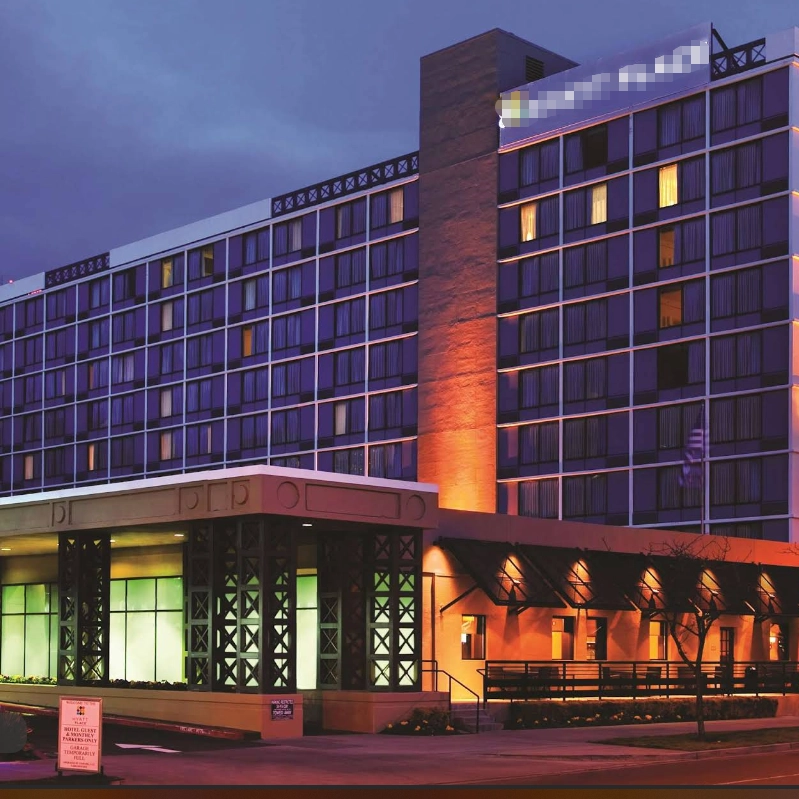
MEIYI Hotel Full-House Custom Furniture Solutions
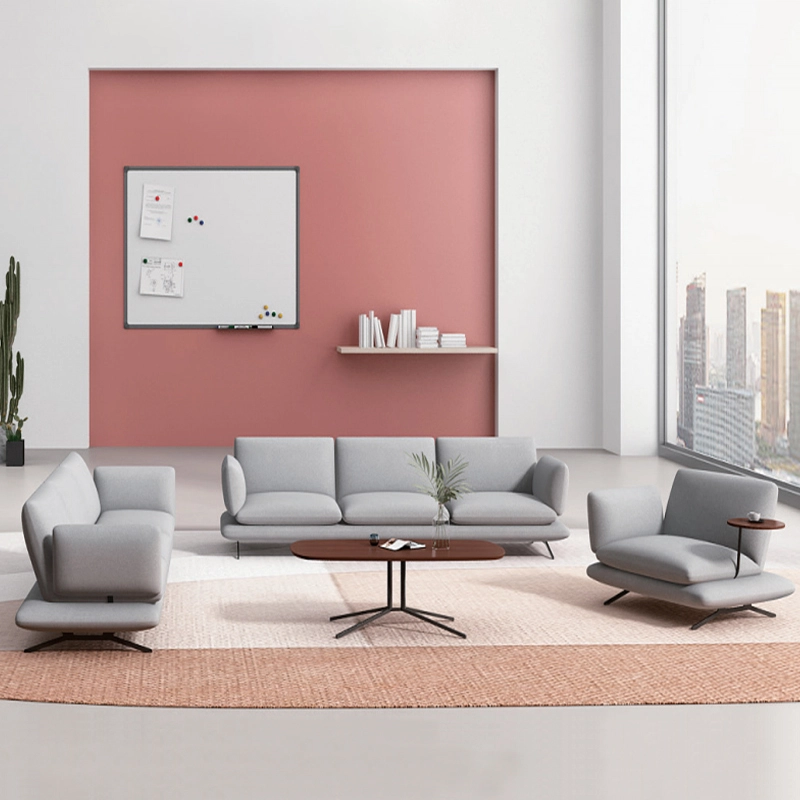
Modern Office Waiting Sofa Set Comfortable Lounge Seating
Customizable sofas, featuring a teddy fabric cover that's durable and stain-resistant. Customizable sizes are also available. This sofa features a sturdy frame and high-quality materials, making it suitable for everyday use. Its versatile design makes it ideal for living rooms, apartments, lounge areas, and even cozy reading nooks. It's more than just a sofa; it's a statement piece for stylish and intelligent living.
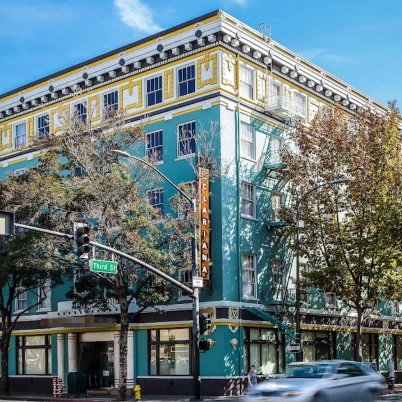
MEI YI Furniture × Hotel: Custom Furniture Empowers the Quality Upgrade of a National Hotel Brand
MEI YI Furniture partners with Hotel to deliver custom hotel furniture that combines high-efficiency and durability. This collaboration elevates the quality of a national hotel brand, showcasing MEI YI’s expertise in crafting tailored, long-lasting solutions for High Quality hospitality spaces.
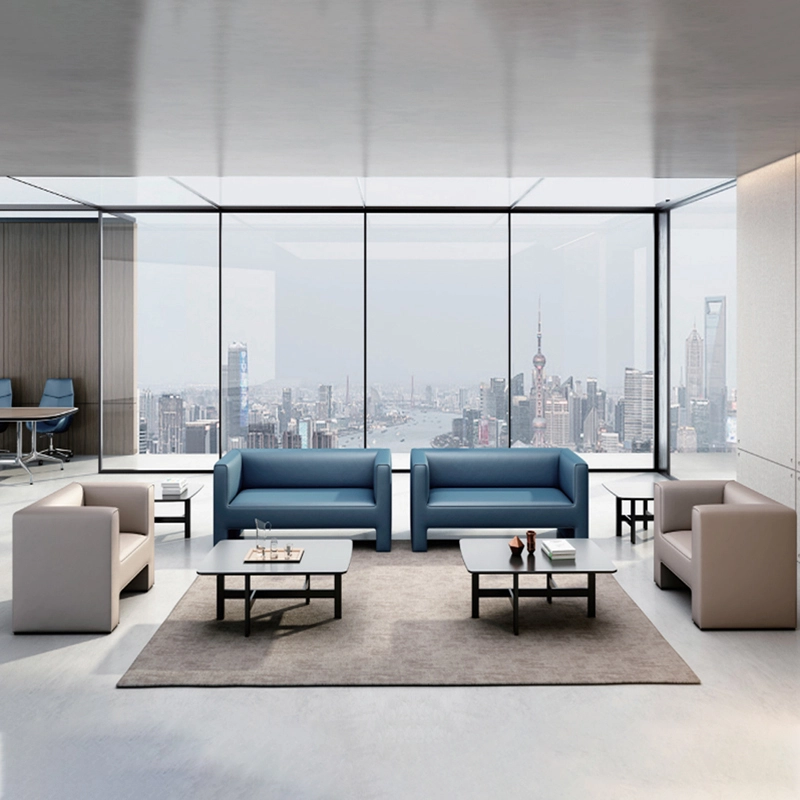
High Quality Wholesale Custom Furniture Waiting Sofa Modern Leisure Sofa
Customizable sofas, featuring a artificial leather cover that's durable and stain-resistant. Customizable sizes are also available. This sofa features a sturdy frame and high-quality materials, making it suitable for everyday use. Its versatile design makes it ideal for living rooms, apartments, lounge areas, and even cozy reading nooks. It's more than just a sofa; it's a statement piece for stylish and intelligent living.
Want to get more of our articles?
Contact one of our sales representatives or fill out this form.
MEI YI Furniture provides a one-stop service for the design, manufacturing, and customization of office, hotel, and school furniture.
Contact: Asya
Email: asya@myofficefurniture.com.cn
WhatsApp: +86 134 2216 1319
Address: No. 25, Nan Street, Jinpan, Zhongluotan Town, Baiyun District, Guangzhou, China.
Whatsapp: +8613422161319
Fackbook
Instagram
YouTube